 Finowl
Send a password
Your application sends the candidate password to Finowl over HTTPS, authenticated with your API key.
FINOWL INTELLIGENCE / PASSWORD BREACHES
Check a password against known exposures before accepting it. Get a breach flag and an occurrence count to inform your password policy.
HOW IT WORKS
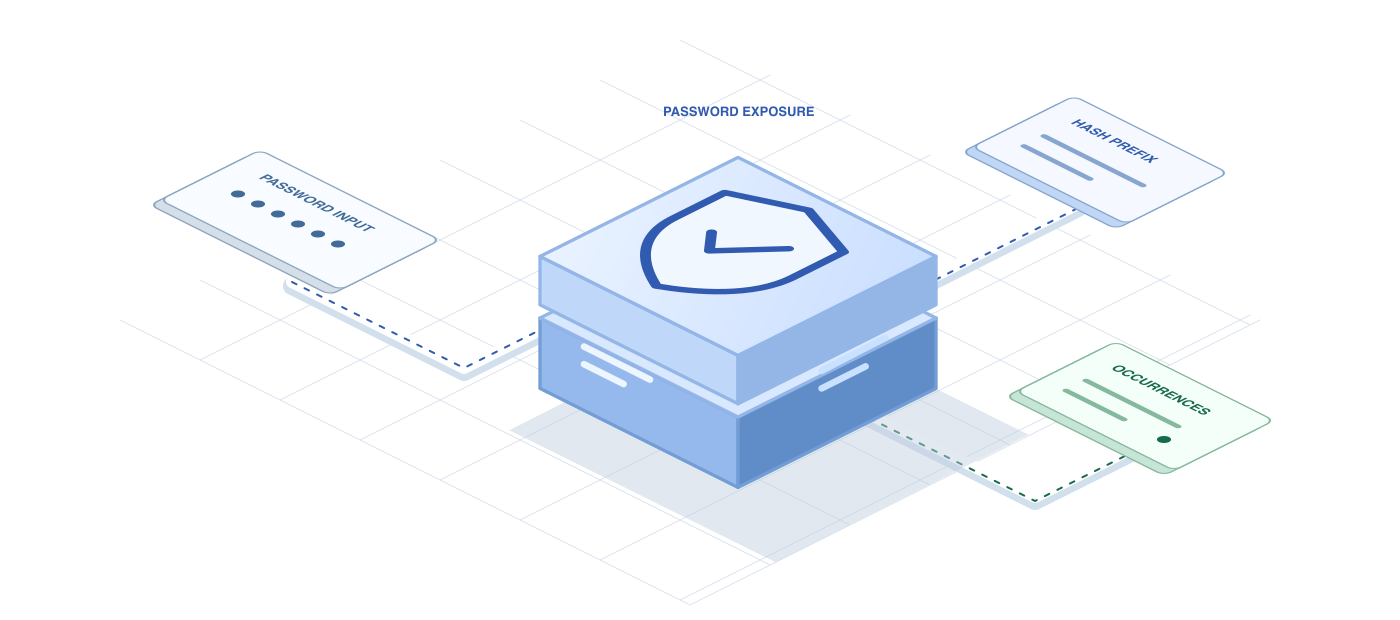
Your application sends the candidate password to Finowl over HTTPS, authenticated with your API key.

Finowl hashes it and shares only the first five characters of the SHA-1 hash upstream.

Finowl compares the returned matches and responds with a breached flag and a known occurrence count.
SEE IT IN ACTION
Finowl Intelligence
POST/v1/breaches/password
curl https://api.finowl.co/v1/breaches/password \ -H "Authorization: Bearer $FINOWL_API_KEY" \ -H "Content-Type: application/json" \ --data '{ "password": "example-test-password" }'{ "breached": false, "count": 0}WHERE IT FITS
Check a proposed password for known exposure before it becomes part of a new account.
Make known-exposure checks part of your password-change policy alongside your existing requirements.
Check a replacement password when someone resets their credentials and starts again.
Keep your existing strength requirements and authentication protections. An exposure check adds to them; it does not replace them.
THE RESPONSE
A password can meet your length requirements and still appear in exposure data. Use the result to request a different password when appropriate.
Finowl receives the password to perform the check, so treat these requests as sensitive and keep passwords out of your application logs.
A FEW GOOD QUESTIONS
Check new and replacement passwords for known occurrences.