 Finowl
Password breach checks · E-commerce
Breached password screening for e-commerce accounts
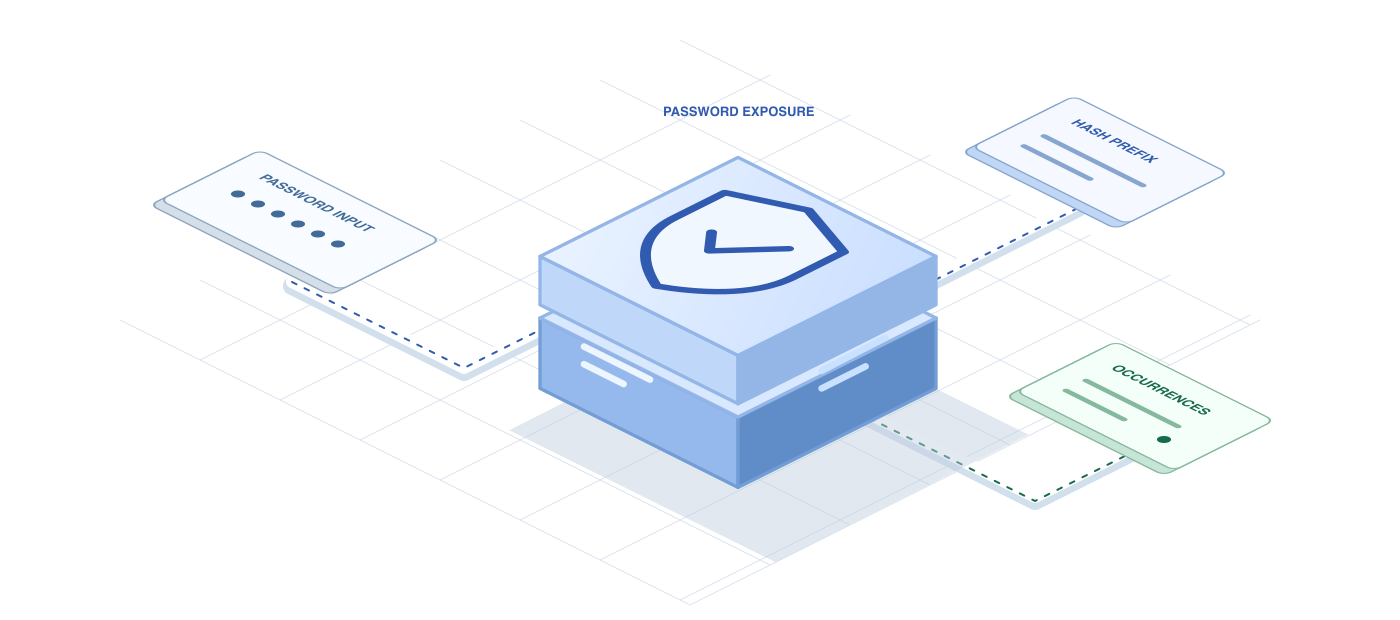
Shoppers rarely create a fresh password for every store they buy from, so the password they type into your registration form may already be on a credential stuffing list. The Finowl password breach API checks that value against breach data and returns whether it has been seen and how often, letting you ask for a different one before the account goes live.
Because a store’s registration form is high volume and conversion sensitive, the check needs to be quick and the message needs to be kind. Finowl hashes the password and looks up only a short hash prefix, never storing the value, and your form can respond with one clear sentence instead of a wall of complexity rules.
USE CASES
Where it fits in e-commerce
Registration form validation
Check the password when a shopper creates an account and show an inline message if it has appeared in a breach, keeping the rest of the form filled in so they can fix it quickly.
Post-checkout account creation
Many stores offer an account after a guest purchase. Screening the password at that moment keeps newly created accounts, with their saved addresses and orders, off attacker lists.
Forced reset after an incident
If you ever require shoppers to reset passwords, check each new choice so customers do not swap a compromised password for another one already in breach data.
Merchant and seller portals
Apply the same screening to staff and partner logins for your admin or order management tools, where one compromised credential could expose many customers’ orders.
HOW TO INTEGRATE
The workflow
- 1
Post the submitted password from your server to POST /v1/breaches/password, keeping the API key off the storefront.
- 2
If breached is true, return a validation error that suggests a longer passphrase.
- 3
If breached is false, continue with your normal length and strength checks.
- 4
Strip the password from logs, analytics events and error tracking on your side.
- 5
On timeouts or 5xx responses, fall back to your standard rules so registration never stalls.
curl https://api.finowl.co/v1/breaches/password \
  -H "Authorization: Bearer $FINOWL_API_KEY" \
  -H "Content-Type: application/json" \
  -d '{
  "password": "correct-horse-battery-staple"
}'
Response is breached plus count, the number of times the password appears in breach data. The password is never logged, stored or returned.
GOOD PRACTICE
Before you ship
Front-end analytics and session replay tools can capture form fields. Make sure password inputs are masked so you do not leak the value your backend carefully screens.
Keep the rejection message short and helpful. Shoppers abandon forms that feel like puzzles, so suggest a passphrase rather than listing many character rules.
Do not retry a failed request in a tight loop. For 5xx or 504 errors the lookup may have run and been charged, so accept under normal rules and move on.
Read the API reference for every field and error code. Each lookup costs 1 credit; see pricing.
A FEW GOOD QUESTIONS
Common questions
More for e-commerce
Breached password screening for e-commerce accounts
Start with 100 free credits every month and test the request above in the sandbox.