 Finowl
Password breach checks · Nonprofits
Breached password checks for donor and volunteer accounts
Supporters often reuse passwords from shopping sites and social media when they create a donor account, and volunteers may do the same on rota and messaging tools. Checking each new password against breach data closes the door attackers try first, in line with NIST SP 800-63B guidance. Finowl returns whether the password has appeared in breach data and how many times, so a small team can set a simple rule.
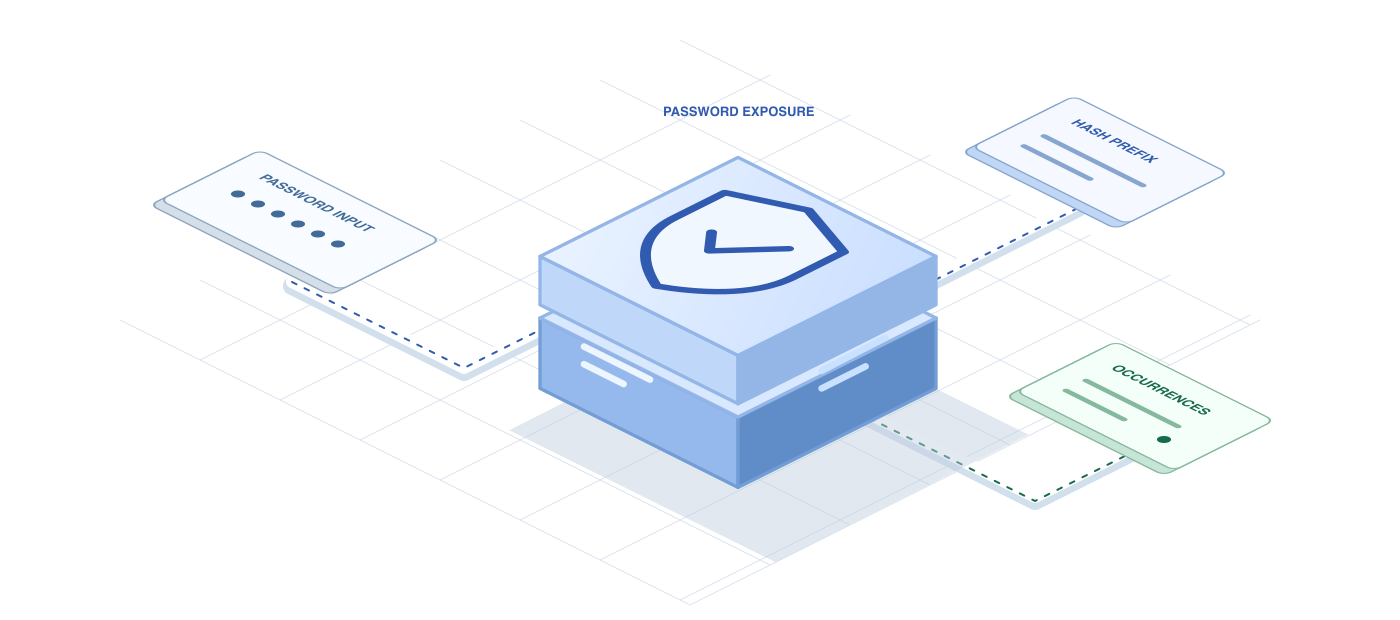
Donors trust nonprofits with personal and financial information, so the check has to respect privacy. Finowl hashes the password with SHA-1 and queries only a 5-character hash prefix using a padded k-anonymity range search. The password is processed transiently and is never logged, stored or returned, which is easy to explain to trustees and supporters who ask how their data is handled.
USE CASES
Where it fits in nonprofits
Donor account creation
When supporters create an account to manage recurring gifts, reject passwords found in breach data and suggest a passphrase, keeping the step short so it does not discourage giving.
Volunteer hub logins
Apply breached-password checks when volunteers create accounts for scheduling and messaging, since their access to event rosters and supporter contact details needs protecting from attackers who reuse leaked credentials.
Staff CRM accounts
Require fundraising and database staff to choose passwords not found in breach data, because a single compromised CRM login could expose an entire supporter base.
Membership renewals
When members return to renew, check their existing password at login and ask them to update it if it now appears in breach data, since passwords set years ago are often reused elsewhere.
HOW TO INTEGRATE
The workflow
- 1
Send the new password from your server to POST /v1/breaches/password during account creation or reset.
- 2
If breached is true, ask for a different password with a short, friendly explanation.
- 3
Use stricter thresholds for staff and volunteer accounts with access to supporter data.
- 4
On errors or timeouts, fall back to your existing rules so supporters can finish signing up.
curl https://api.finowl.co/v1/breaches/password \
  -H "Authorization: Bearer $FINOWL_API_KEY" \
  -H "Content-Type: application/json" \
  -d '{
  "password": "correct-horse-battery-staple"
}'
Runs when a supporter creates a donor account to manage monthly giving. A breached result asks them to choose another password before continuing.
GOOD PRACTICE
Before you ship
Check that donation platform plugins and form tools do not log password fields. Many nonprofit stacks combine several vendors, and each one needs reviewing.
Prioritize staff and volunteer accounts with access to supporter records, where a breached password poses the greatest risk to many people at once.
Do not let a security step cost a gift. Keep messages brief and warm, and fall back to local rules if the check is unavailable.
Read the API reference for every field and error code. Each lookup costs 1 credit; see pricing.
A FEW GOOD QUESTIONS
Common questions
More for nonprofits
Breached password checks for donor and volunteer accounts
Start with 100 free credits every month and test the request above in the sandbox.